
Currently Empty: ₹0.00
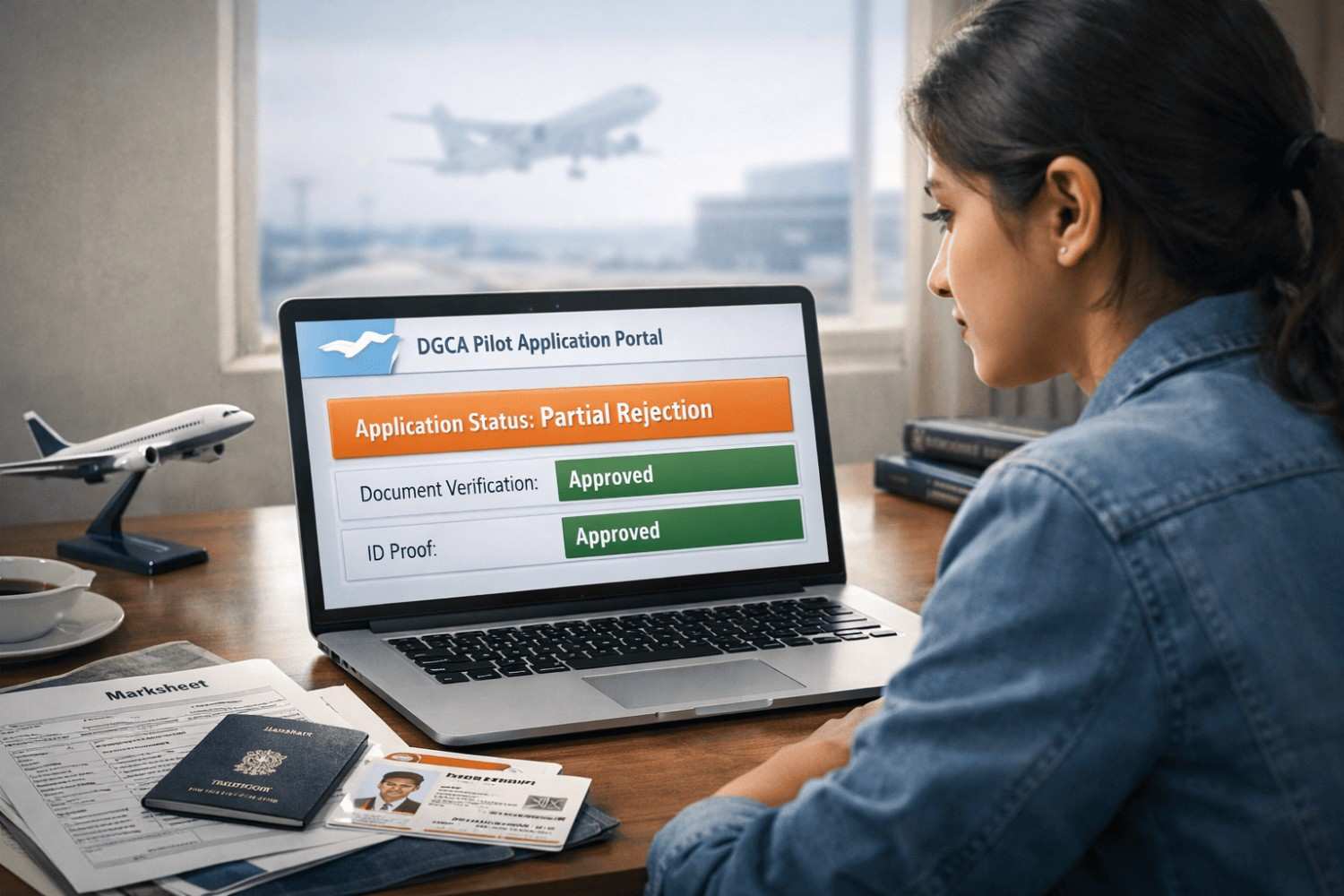
For any student aiming for the skies, the journey starts long before they enter an aviation training academy. It begins at a desk, surrounded by marksheets, identity proofs, and the eGCA portal. The first major milestone is the DGCA Computer Number allotment process.
However, many candidates face a roadblock known as “Partial Rejection.” If you have seen this status on your dashboard, don’t panic. It is not a permanent “No.” In fact, the Partial Rejection System DGCA uses is actually designed to save you time. This guide breaks down exactly what this system is, why it happens, and how to fix it so you can get back to your CPL exam preparation.
Understanding the DGCA Computer Allotment Process
The DGCA Computer Allotment is the formal procedure where the Directorate General of Civil Aviation verifies a candidate’s identity and educational qualifications. Think of the Computer Number as your permanent “Roll Number” for life. Without it, you cannot book slots for DGCA ground classes or appear for any official pilot examinations.
In the 2026 digital era, this process happens through the eGCA portal. You upload your Class 10 and 12 marksheets, board verification documents, and government IDs. The DGCA then cross-checks these with the respective educational boards to ensure everything is authentic.
Why Rejections Happen
The DGCA follows a zero-tolerance policy for errors. Even a tiny mismatch in the spelling of your name or a blurry scan of a marksheet can lead to a rejection. Previously, a single error meant your entire application was cancelled, forcing you to pay the fees again and wait for months. This is exactly why the DGCA pilot license allotment system evolved to include a “Partial Rejection” feature.
What is the Partial Rejection System in DGCA?
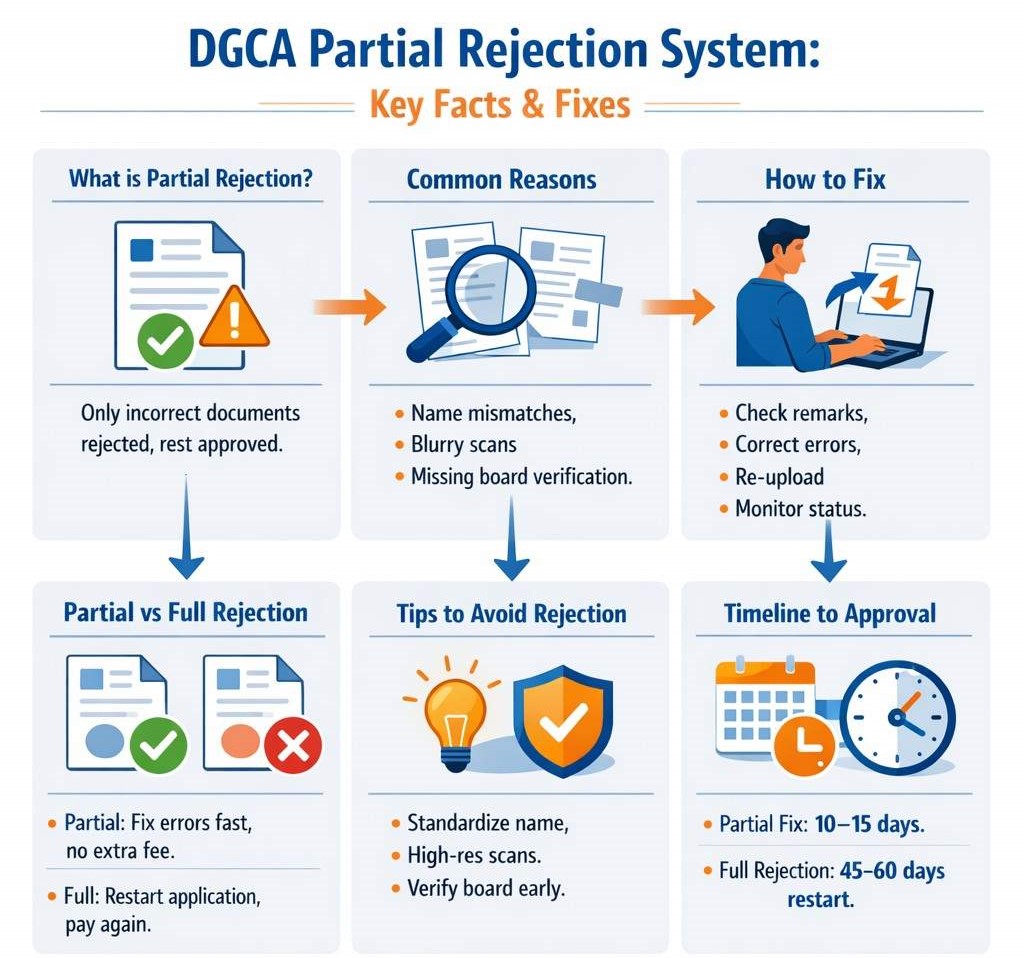
The Partial Rejection System in DGCA is a mechanism where the authority rejects only specific, incorrect documents rather than the entire application. It is a “Fix what is broken” approach.
If you have submitted five documents and four are perfect, the DGCA will “Accept” those four and issue a “Partial Rejection” for the fifth one. This allows the candidate to rectify just that specific error without losing their place in the processing queue.
Practical Example:
Imagine Rahul applies for his Computer Number. He uploads his Passport, Class 10 marksheet, and Class 12 marksheet.
- The DGCA verifies his Passport and Class 10 marksheet.
- However, his Class 12 board verification is missing a stamp.
- Instead of rejecting Rahul’s entire file, the officer issues a Partial Rejection specifically for the “Class 12 Education Details.”
The Aspirant’s Point of View
This system is a massive relief. It prevents the frustration of “starting from zero.” You don’t have to re-upload the documents that were already approved, and in most cases, you don’t have to pay the processing fee again. It keeps your DGCA ground classes timeline on track.
Step-by-Step Process to Resolve a Partial Rejection
If you receive a notification about a partial rejection, follow these steps immediately to minimise delays:
- Read the “Remarks” Carefully: Log into the eGCA portal. Look for the “Status” tab. The DGCA officer will provide specific remarks like “Board verification email not received” or “Scan not clear.”
- Correct the Error: If it’s a board verification issue, contact your school board (CBSE/ICSE/State Board) to ensure they have sent the verification to the DGCA’s official email.
- Use the “Update” Feature: Do NOT start a new application. Go to your existing application and look for the option to re-upload or edit the specific rejected section.
- Re-submit for Review: Once you re-upload the corrected document, the status will change to “Re-submitted.”
- Monitor the Dashboard: Usually, a re-submitted document is reviewed within 10–15 working days, as the officer only has to check the corrected part.
Comparison: Partial vs. Full Rejection in DGCA
| Feature | Partial Rejection | Full Rejection |
| Data Status | Valid documents remain saved | Entire application is wiped |
| Timeline | 10–15 days to resolve | 45–60 days (Fresh start) |
| Fees | Usually no extra fee | New application fee required |
| Effort | Only fix the specific error | Re-upload everything |
| Impact on Career | Minor delay | Major delay in CPL exam preparation |
Tips to Avoid Allotment Issues in 2026
Prevention is better than cure. To avoid falling into the Partial Rejection System DGCA trap, keep these points in mind during your DGCA Computer Allotment Process:
- Standardise Your Name: Ensure your name is the same on your Aadhaar, Passport, and Marksheets. If there is a mismatch (e.g., middle name missing), get an affidavit made before applying.
- High-Resolution Scans: Use a flatbed scanner. Avoid mobile “scanner apps” as they often produce graininess that the DGCA rejects.
- Proactive Board Verification: Some state boards are slow. If you know your board takes time, visit them personally and ensure the verification is sent to the DGCA even before you hit “Submit” on the portal.
- Double-Check Roll Numbers: Ensure the roll number entered in the digital form matches the marksheet exactly. A single typo is a common cause for partial rejection.
Conclusion: Next Steps
The Partial Rejection System in DGCA Allotment is a tool that ensures the DGCA allotment process remains fair and efficient. If you get a rejection, stay calm, read the remarks, and act quickly.
Your Action Plan:
- Audit Your Docs: Ensure all your educational boards are recognised by the COBSE.
- Stay Prepared: While your allotment is in progress, continue your DGCA ground classes. Knowledge doesn’t require a computer number!
- Follow Up: If your “Re-submitted” status doesn’t change for 20 days, use the DGCA query portal to ask for an update.
Would you like a checklist of the exact documents required for a fresh DGCA Computer Number application in 2026?
FAQ
Q: What is the Partial Rejection System in DGCA?
A: It is a system where only specific incorrect documents in your Computer Number application are rejected, allowing you to fix only those parts while the rest of your application remains safe.
Q: How long does it take to get a DGCA Computer Number?
A: Usually, it takes 30 to 45 days. If you receive a partial rejection, it may take an additional 15 days after you re-submit the corrected documents.
Q: Can I appear for exams during a Partial Rejection?
A: No. You must have an “Allotted” status and a valid Computer Number to book an exam seat for your CPL exam preparation.
Q: Do I have to pay again for a Partial Rejection?
A: No, usually you do not have to pay the fee again if it is a partial rejection. You only need to pay again if your entire application is rejected and cancelled.
Q: Can I attend DGCA ground classes without a Computer Number?
A: You can attend classes to learn, but you cannot sit for the CPL exam preparation mock tests or the official DGCA quarterly exams without it.
Q: Does a Partial Rejection affect my attempt limit?
A: No. It only affects the allotment of your Computer Number. It has nothing to do with your exam attempts.